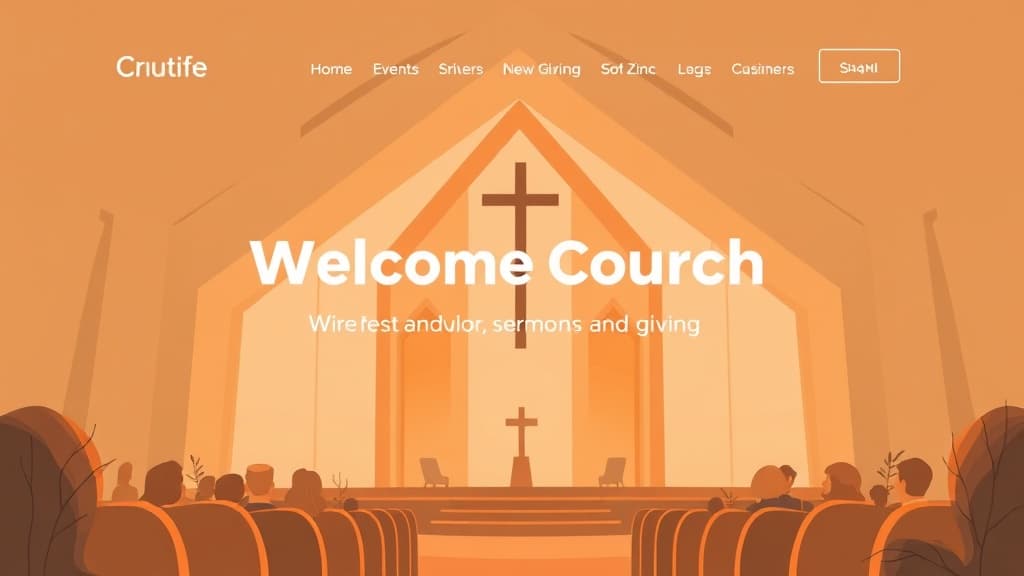
A church website is often the first contact a visitor, newcomer, or searching family has with your congregation. Before they ever walk through your doors, they've already formed an impression of your community from what they found online. A well-built church website communicates your faith, welcomes first-time visitors, keeps your congregation connected, and serves people who are genuinely searching for a spiritual home. This guide covers exactly how to make a church website that serves your congregation and opens your doors to your community.
What Church Visitors Look for on Your Website
First-time website visitors — especially those exploring a new church home — have specific, urgent questions:
- When and where do you meet? Service times and address are the most-searched elements on any church website. If they're buried in a navigation menu, visitors leave without finding the answer.
- What should I expect? First-time church visitors are often anxious, especially if they're exploring faith for the first time or returning after a long absence. A 'What to Expect' page that answers dress code, service length, what happens with children, and whether you need to bring anything dramatically reduces visitor anxiety.
- Who leads this church? Pastoral team photos and bios help visitors decide if this leadership team reflects the style of community they're seeking.
- What do you believe? A clear, plain-language statement of faith. Visitors from different traditions need to understand your theological position before visiting.
- What programs exist for my family? Children's ministry, youth programs, small groups, and men's/women's ministries are significant decision factors for families.
A church website that answers these five questions clearly and quickly will retain 80% of searching visitors who would otherwise leave in under 30 seconds.
Step 1: Choose the Right Platform for Your Church Website
Church websites need sermon hosting, event management, giving integration, and content management that non-technical staff and volunteers can update. Platform options:
- ZonedWeb (recommended): Deploys a professional church website from a curated template catalog via ZonedWeb's church website builder. Built on real WordPress with WooCommerce, enabling online giving, event registration, and media libraries. Zoni AI drafts your core pages — about, beliefs, welcome content — so you can launch faster.
- WordPress + church theme: The most flexible option. Popular themes: ChurchThemes.net, Sermon Speaker, or Hestia. Essential plugins: The Events Calendar (free), Sermon Manager (free), and GiveWP or Stripe-powered giving forms.
- Nucleus (formerly Church360): Church-specific website platform. $49–149/month. Built-in sermon library, small group finder, and giving integration. Limited design customization.
- Ekklesia 360 / Ministry Designs: Managed church website services. $150–600/month. Fully managed hosting and design, but long-term costs are high and customization is limited.
- Squarespace: Clean templates, easy to update. $23–65/month. Lacks dedicated sermon management, small group directories, and ChMS integration depth. Better for very small congregations with minimal program complexity.
WordPress-based platforms consistently offer the best balance of design quality, functionality, and long-term cost for congregations of all sizes. The plugin ecosystem — especially for sermons, events, and giving — is unmatched.
Step 2: Build the Essential Church Website Pages
A church website serves two audiences simultaneously: first-time visitors exploring your church, and current congregation members managing their involvement. Serve both:
Home Page: Service times and location visible above the fold — these are the most-searched pieces of information on any church website. A welcoming hero image of your congregation (real people, not stock photos). Upcoming events. A 'Plan Your Visit' button linking to your new visitor page. Sermon series highlight. Online giving button. This page should immediately communicate: who you are, when you meet, and how to get involved.
Plan Your Visit / I'm New: The most important conversion page on your church website. Answer every first-time visitor question: address and parking, service time and duration, dress code, what the service experience looks like, what happens with children during the service, whether you need to bring a Bible or bulletin, and whether visitors are asked to do anything (give, introduce themselves, etc.). Add a short welcome video from your pastor. This page reduces the anxiety threshold that prevents first-time visits.
Beliefs / What We Believe: A clear statement of faith in plain language. For interdenominational visitors: your position on key theological questions. For seekers: an accessible explanation of Christian belief written for someone who is exploring faith for the first time rather than comparing denominations. Link to longer-form resources for those who want to go deeper.
About Us / Our Story: Church history, leadership philosophy, denominational affiliation, and what makes your congregation distinctively what it is. Many churches also include their mission statement and core values here. Authenticity matters — a personal paragraph from the lead pastor about their heart for the congregation converts more visitors than formal institutional language.
Leadership / Pastoral Team: Professional photos and bios for each pastor, elder, and key staff member. Include their educational background, years at the church, family, and what they're passionate about in ministry. People connect with people. Visitors often decide to visit based on the pastoral team they see on this page.
Ministries: Children's Ministry (with safe church policy information — this matters enormously to parents), Youth Ministry, Adult Small Groups, Women's Ministry, Men's Ministry, Worship team, Outreach and missions. Each ministry should have its own page or section with: schedule, contact person, and how to get involved.
Sermons: A sermon archive organized by series and date, with audio and/or video for each message. This is one of the highest-traffic sections of any active church website. Members who miss a Sunday catch up here. Seekers listen to multiple sermons before deciding to visit. Each sermon page should include: title, speaker, date, Scripture reference, and a description. Add a podcast RSS feed so members can subscribe on Apple Podcasts or Spotify.
Events / Calendar: All upcoming church events with descriptions, dates, locations, and registration links where applicable. The Events Calendar plugin (free) handles this well for most congregations.
Give Online: A secure, simple giving page. GiveWP (free tier) or Stripe-powered forms handle online tithes and offerings. Multiple giving funds if applicable (General, Building, Missions). ACH bank transfers alongside credit cards — many faithful givers prefer to avoid credit card fees on their giving.
Connect / Contact: Address with Google Maps embed, service times, phone, email, and a contact form for prayer requests and general inquiries. Many churches also include a staff directory here.
Step 3: Set Up Sermon Media and Live Streaming
Sermon content distribution is one of the most impactful investments a church website can make:
- Sermon Manager for WordPress (free): Organize sermons by series, speaker, book of the Bible, and date. Supports audio upload, video embed, and downloadable PDFs. Creates a searchable sermon archive automatically.
- YouTube for video hosting: Upload Sunday services to YouTube. Embed the YouTube video on your sermon page (never host large video files directly on your server — it kills performance). YouTube also extends your reach to people who discover your content through search.
- Podcast feed: Sermon Manager automatically creates a podcast RSS feed. Submit it to Apple Podcasts, Spotify, and Google Podcasts. Many seekers and members consume sermons on their commute.
- Live streaming: For Sunday services, stream to YouTube Live or Facebook Live and embed the stream on your website. This serves homebound members, those traveling, and curious visitors who want to 'test drive' a service before attending in person.
Step 4: Church Local SEO and Community Presence
Families searching for a church home in your area are your most important audience. Local SEO ensures they find you:
- Google Business Profile: Claim your church's GBP, add service times and weekly schedule, upload photos of your congregation and facilities, and post Sunday sermon titles as weekly updates. Churches with complete GBPs appear prominently in 'church near me' and '[denomination] church [city]' searches.
- Denomination-specific searches: 'Baptist church [city],' 'non-denominational church [neighborhood],' 'Catholic Mass times [city].' Create a page that clearly states your tradition, meeting times, and what makes your congregation distinctive. These are the searches families in transition use.
- Schema markup: Add Church schema markup (a type of LocalBusiness) with your service times, address, denomination, and phone number. Google uses this to display your service schedule in rich results directly in search.
- Community directory listings: List your church on local community directories, neighborhood Facebook groups, Nextdoor, and denomination-specific church directories. These links build local authority and help newcomers find you through multiple channels.
Browse our church website templates — welcoming, professional layouts designed for congregations of all sizes and traditions. Sermon library, events, giving, and ministry pages all included.
Ready to build your church website? ZonedWeb's church website builder deploys a full-featured WordPress site from church templates with Zoni AI drafting your welcome content, beliefs page, and pastoral bios. Start today — it's free to try.
Frequently Asked Questions
How much does a church website cost?
DIY WordPress: $100–250/year for hosting and domain, plus free plugins (Sermon Manager, GiveWP, The Events Calendar). ZonedWeb: $29–69/month all-in. Managed church website services: $150–600/month. Custom church website design agency: $3,000–15,000. For most congregations — especially those under 500 members — WordPress via ZonedWeb or self-hosted delivers the best functionality at the lowest cost. The difference between tiers is mostly support and setup time.
Should a church offer online giving on its website?
Yes. Online giving is now the preferred giving method for a growing percentage of church members, especially under 45. It enables consistent tithing even when members are traveling or ill. ACH bank transfers typically carry lower processing fees (0.8–1%) than credit cards (2.2–2.9%). GiveWP's free tier handles basic online giving well. Stripe-powered giving is another simple option. Online giving should never replace but always supplement in-person offering.
How often should a church update its website?
Service times and key information: update immediately whenever anything changes — an outdated service time is actively harmful. Events calendar: update weekly as events are scheduled. Sermons: upload within 24 hours of Sunday service. News and announcements: as needed, at least twice per month to keep the site feeling alive. Staff and ministry pages: review quarterly. A church website that looks current and active signals a congregation that is current and active — this matters to people considering their first visit.
What is the most important page on a church website?
For first-time visitors: the 'Plan Your Visit' or 'I'm New Here' page. For regular members: the Events Calendar and Sermons archive. For pastoral staff: online giving. Analytically, the home page receives the most traffic — but it's the Plan Your Visit page that converts searching visitors into first-time attenders. Invest disproportionate attention in making that page welcoming, detailed, and anxiety-reducing. A short welcome video from the pastor on that page can double first-time visitor conversions.
Does my church need a mobile app in addition to a website?
For most congregations: no. A mobile-optimized website with online giving, a sermon podcast feed, and an events calendar covers 90% of congregation digital needs. Church apps (Church Center from Planning Center, Subsplash) make sense for congregations with 500+ active members who use digital communication heavily and would realistically download and use an app. At smaller scales, the cost ($50–200/month) outweighs the engagement benefit. Start with a mobile-optimized website. Add an app when your congregation's mobile engagement genuinely warrants it.
Zoned Web
The ZonedWeb team builds the AI website platform that designs, writes, and deploys professional, SEO-ready sites — so you can launch in minutes, not weeks.