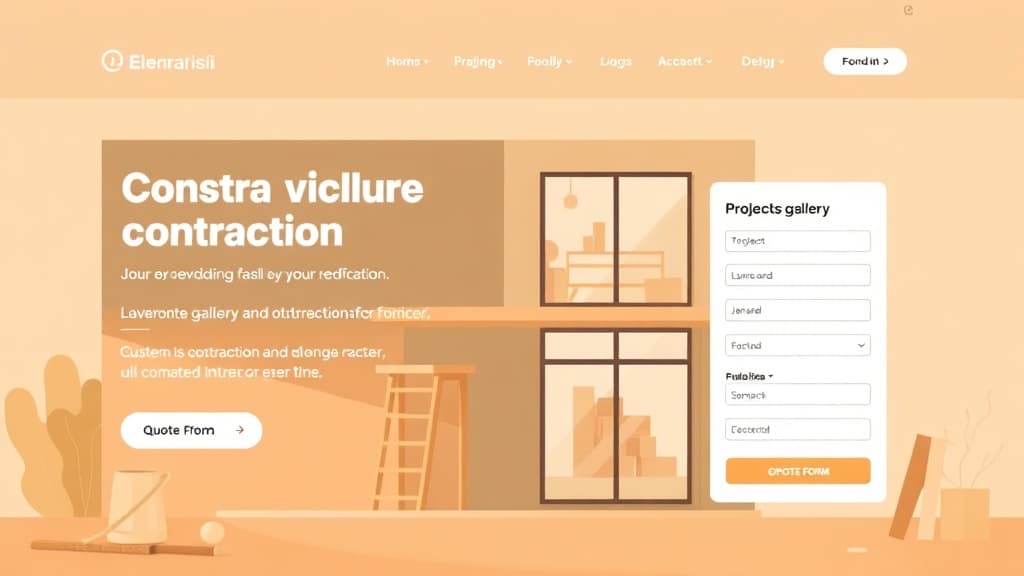
Homeowners hire contractors based on trust — and in 2026, that trust is built online before a single estimate is requested. A contractor without a professional website loses jobs to competitors who show up first on Google, display their past work, and make it easy to request a quote. This guide covers how to build a contractor website that ranks locally, showcases your completed projects, and converts visitors into booked jobs.
Why Contractor Websites Win or Lose Business
Contractors who underinvest in their website face consistent, preventable business losses:
- No portfolio. Homeowners need to see comparable work before trusting a contractor with a $5,000–200,000 project. A website without project photos loses to any competitor who has them.
- No licensing or insurance info. The first question a responsible homeowner asks is 'are you licensed and insured?' If that information isn't on your website, you create doubt — and doubt kills conversions.
- No reviews visible. Contractors live and die on word-of-mouth. Your website should amplify your best reviews from Google, HomeAdvisor, and Houzz — not force potential clients to go find them elsewhere.
- No clear service area. Contractors who don't specify their service area get inquiries from 100 miles away and miss ranking for 'contractor near me' searches in their actual market.
- No quote request mechanism. If a homeowner has to call during business hours to get a quote started, evening and weekend visitors are lost. Online quote request forms recover these leads.
Step 1: Choose a Platform for Your Contractor Website
Contractor websites need to look professional, load fast on mobile, and capture leads efficiently. Platform options:
- ZonedWeb (recommended): Deploys a professional contractor website from a curated template catalog via ZonedWeb's construction website builder. Real WordPress means full control over your portfolio, quote forms, and SEO. Zoni AI generates your initial service descriptions and project content.
- WordPress + Divi or Elementor: Best for contractors who want full design control. Combine with Gravity Forms for multi-step quote requests. Requires more setup but delivers the most professional results long-term.
- Houzz Pro: Platform-specific for home contractors. $65–399/month. Built-in project portfolio, review management, and lead generation. Limited website customization — your site lives on Houzz's domain, not yours.
- Contractor Gorilla / BluePage.io: Niche contractor website builders. $50–150/month. Good for contractors who want a managed solution without web design knowledge. Limited SEO capabilities.
- Squarespace: Clean portfolio display. $23–65/month. Lacks the plugin depth for complex quote forms, scheduling, and local SEO optimization that WordPress provides.
The critical distinction: owning your website on your domain (WordPress, ZonedWeb) vs. renting a presence on a platform (Houzz, Angi). Your own website builds compounding SEO value. Platform profiles can be suspended, repriced, or devalued at any time.
Step 2: Build the Essential Contractor Website Pages
A high-converting contractor website needs these pages:
Home Page: Your company name, primary service type, and service area visible immediately. Your best project photo as the hero image. Phone number and 'Get a Free Quote' CTA above the fold. Google review rating and count displayed. 'Licensed, Bonded & Insured' badge visible. Featured project thumbnails. This page answers the homeowner's primary questions before they scroll.
Services: Every service you offer with a description of scope, what's included, and typical project duration. Don't list 'we do everything' — specificity builds credibility. If you specialize in kitchen and bathroom remodels, say so. The services page is where you define your market position.
Project Gallery / Portfolio: Organized by project type (Kitchen Remodels, Bathroom Renovations, Additions, Roofing, etc.). Each project entry: before-and-after photos, brief project description (scope, duration, notable challenges), and location ('Naperville, IL' — helps with local SEO). High-quality photos are your most powerful marketing asset. Budget for professional photography on 2–3 major projects per year.
About Us: Company history, owner's background and experience, team photos, licenses and certifications (contractor license number visible), insurance information, BBB accreditation if applicable, and any manufacturer certifications (GAF Master Elite, EPA Lead-Safe Certified, etc.). The about page is where a hesitant homeowner decides whether to trust you.
Service Area: A dedicated page listing every city, town, and county you serve. This page drives local SEO for every location name it mentions. Include a map showing your coverage area. Don't bury this information — it's a primary filtering criterion for homeowners who want to know if you serve their area.
Testimonials / Reviews: Embedded Google reviews or manually curated testimonials with project type and location. Video testimonials from satisfied clients are the highest-converting testimonial format for contractors.
Get a Quote / Contact: Multi-step quote form: project type → project description → timeline → property address → contact info. Multi-step forms (not single-page) have 25–40% higher completion rates. Auto-respond immediately with a message: 'Thanks, we'll reach out within one business day.' This sets expectations and reduces follow-up anxiety.
Step 3: Set Up Your Lead Generation System
Every visitor who doesn't call or submit a form is a lost lead. Build a capture system:
- Gravity Forms (WordPress, $59/year): Build multi-step quote request forms with conditional logic (show different fields based on project type). Notify you and your CRM on submission. Integrate with HubSpot or Pipedrive for lead tracking.
- Click-to-call on mobile: Every mobile page should have a sticky phone button. Emergency contractors (plumbing, electrical, HVAC) in particular lose significant business to missed calls from mobile users.
- Live chat / chatbot: Tools like Tidio or Drift handle after-hours lead capture with a chatbot that collects contact info and project details. Contractors who add live chat report 20–40% more leads from the same traffic.
- Exit-intent popup: When a visitor is about to leave, trigger a simple popup: 'Before you go — get a free quote for [service].' Captures 5–10% of otherwise-lost visitors.
Step 4: Contractor Local SEO Strategy
Local service business SEO is the highest-ROI marketing for most contractors. Strategy:
- Service + location pages: Create individual pages for your most valuable service/location combinations: 'Kitchen Remodeling in [City],' 'Roof Replacement [County].' Each page should be 600–1,000 words covering the service in that specific market. These pages target the searches that homeowners actually use.
- Google Business Profile: Post project photos weekly. Create posts announcing special offers or recently completed projects. Respond to every review within 24 hours. Contractors with active, photo-rich GBPs dominate the local service ads and organic local pack.
- Collect reviews systematically: Send a review request text or email after every completed project while the homeowner is still happy with the result. A link to your Google review form makes it one-tap. 50+ reviews is the competitive threshold in most markets.
- Get listed on Houzz, Angi, HomeAdvisor, and Thumbtack: These platforms rank well for contractor searches. Maintain complete profiles with fresh photos and reviews. They generate referral leads and link back to your website.
- Project-location schema: Add LocalBusiness schema with your service area specified. Google uses this to match your site to local service queries.
Browse our construction and contractor website templates — portfolio-forward layouts built for remodelers, builders, roofers, and specialty trades. Designed to display your work and capture leads effectively.
For the full digital foundation strategy behind your contractor site, read our guide on making a website for a small business — the principles apply directly to service-based businesses. Ready to launch? ZonedWeb's construction website builder gets your professional WordPress site live from templates in minutes. Start free.
Frequently Asked Questions
Do contractors really need a website, or is Angi/HomeAdvisor enough?
Angi and HomeAdvisor are lead generation platforms — they sell the same leads to 3–5 contractors simultaneously. You compete on price and response speed. Your own website generates exclusive leads at a dramatically lower cost per acquisition. Contractors who rely solely on lead platforms are renting business; contractors with strong websites own it. Use both — but your website should be your primary lead source.
How much does a contractor website cost?
DIY WordPress: $100–300/year for hosting, theme, and form plugins. Professional custom design: $2,000–8,000. ZonedWeb: $29–69/month all-in. The ROI calculation is straightforward: one additional job per year from your website — at even a $2,000 margin — pays for years of website costs. Most contractors with well-optimized websites generate 5–20 additional jobs per year from organic traffic alone.
Should I list prices on my contractor website?
Include price ranges where you can. 'Kitchen remodels typically range from $25,000–75,000 depending on scope and materials' is more useful to homeowners than silence. Homeowners who don't know your price range waste your time — and theirs — requesting quotes that aren't in their budget. Pricing transparency prequalifies leads. 'Starting from' pricing is the minimum; ranges are better. Avoid 'call for pricing' on everything — it signals evasiveness in an industry where trust is everything.
How do I get contractor leads from my website?
Three lead generation mechanisms work best for contractors: (1) ranking organically for local service keywords so people find you when searching — this takes 3–9 months of SEO work; (2) Google Local Service Ads — pay-per-verified-lead ads that appear above organic results for service queries, with Google verification badge; (3) referrals amplified by your website — when a happy client refers you, the referred person looks you up online before calling. A professional website converts those referrals at a much higher rate.
How many project photos do I need on my contractor website?
Minimum viable: 5–10 projects, 3–5 photos each. Competitive: 20–30 projects with before-and-after pairs. High-performing: 50+ projects organized by type with location and scope descriptions. Start with what you have — don't delay launching your website waiting for more photos. Add projects continuously. A portfolio that grows over time signals an active, successful business to both visitors and Google.
Zoned Web
The ZonedWeb team builds the AI website platform that designs, writes, and deploys professional, SEO-ready sites — so you can launch in minutes, not weeks.