A portfolio website is your most valuable professional asset. It works while you sleep, convincing potential clients and employers of your skill before you say a word. But a portfolio that looks amateurish or loads slowly will cost you opportunities. This guide shows you exactly how to build one that wins work.
What Makes a Portfolio Website Actually Work
Most portfolio sites fail for one of three reasons: too much work shown (quantity over quality), unclear positioning (nobody can tell what you specialize in), or buried contact information (interested visitors can't reach you). A high-converting portfolio:
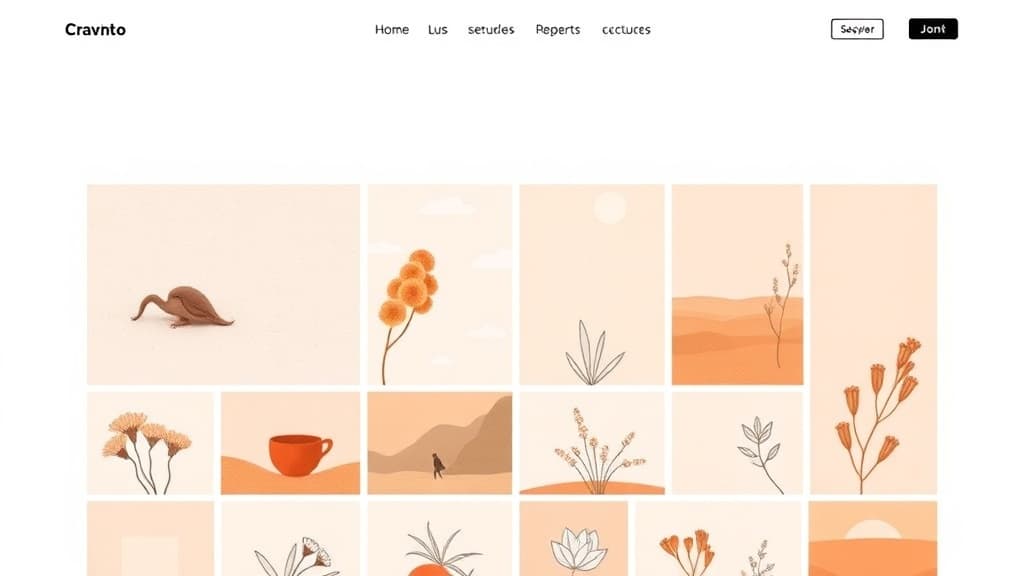
- Shows 6–12 of your best projects, not everything you've ever made.
- Opens with a clear headline that explains who you help and how.
- Has a prominent, easy contact form or email link on every page.
- Loads in under 2 seconds on mobile.
- Tells the story behind each project—not just what it looks like, but the problem you solved.
Keep this framework in mind throughout the rest of this guide.
Step 1: Plan Your Portfolio Before Building
Spend 30 minutes planning before touching a builder:
- Define your target audience. Are you targeting design agencies? Tech startups? Local restaurants? Your portfolio should speak directly to one audience, not everyone.
- Select your 8–12 best pieces. Be ruthless. One weak piece dilutes everything around it. If you're newer, include personal projects, student work, or spec work—clients care about quality, not whether someone paid you.
- Gather your assets. High-resolution images of your work, project descriptions (the problem + your solution + the result), client testimonials if available, and your professional headshot.
- Draft your positioning headline. Format: 'I help [target audience] achieve [outcome] through [what you do].' Example: 'I help B2B SaaS companies increase signups through conversion-focused web design.'
This planning phase takes 30 minutes but saves hours of revision later. Don't skip it.
Step 2: Choose the Right Platform for a Portfolio
Your platform choice affects how you're perceived and how much you pay long-term:
- WordPress: Most flexible, lowest long-term cost, full ownership. Best for designers, developers, writers, and photographers who want full control. Requires a theme/page builder.
- Behance (free): Discovery platform for creative work. Not a standalone website—more a social portfolio. Use it alongside your main site for additional visibility.
- Webflow: Excellent for web designers who want pixel-perfect control. Higher learning curve, $16–36/month.
- ZonedWeb: AI deploys a professional WordPress portfolio from one of 1,328 templates in minutes. Best for creatives who want a polished result fast without the manual WordPress setup. Browse ZonedWeb's portfolio templates to see your options.
For longevity and SEO, self-hosted WordPress wins. For speed with professional quality, ZonedWeb's AI-powered portfolio builder wins. For pure creative discovery, Behance supplements but doesn't replace a real website.
Step 3: Set Up Your Site Structure
A portfolio needs fewer pages than a business site. Keep it focused:
- Home: Positioning headline, 3–6 featured projects, brief bio, and a call to action ('See my work' or 'Hire me').
- Work / Portfolio: All 8–12 projects. Each links to a case study page.
- About: Your story, skills, experience, and personality. Clients hire people, not resumes.
- Contact: A simple form, your email, and response time expectation ('I respond within 1 business day').
- Optional — Services: If you're freelancing, a clear services page with pricing ranges helps filter serious inquiries.
Don't add pages you don't need. A clean portfolio with 4 pages outperforms a bloated one with 12 every time.
Step 4: Build Compelling Project Case Studies
Case studies are your most powerful sales tool. A great case study answers three questions:
- What was the problem? Describe the client's situation before you got involved. Be specific.
- What did you do? Your process, decisions, and approach. Show thinking, not just output.
- What happened? Results, metrics, client testimonials. 'Increased conversion rate by 23%' is infinitely more persuasive than 'improved the website.'
For each project page, include: a hero image of the final work, the three sections above (problem, process, result), 4–8 supporting images or screenshots, the client name and industry (with permission), your role, tools used, and a testimonial if available.
If you're new and don't have client results: describe the brief you gave yourself, the design decisions you made, and what you'd do differently. Self-awareness and process matter to experienced clients.
Step 5: Design Principles That Win Clients
Your portfolio design is itself a sample of your work. These principles apply across all creative disciplines:
- White space is not wasted space. Crowded portfolios feel chaotic. Let your work breathe.
- Consistent typography. Two typefaces maximum—one for headings, one for body. Never more.
- Fast image loading. Compress images to under 200KB before uploading. Use WebP format. Slow image loads kill credibility.
- Mobile-first layout. Over 60% of portfolio visitors browse on phones. Test your entire site on a real mobile device, not just a resized browser window.
- Dark mode or light mode—pick one. Auto-switching based on OS preference is technically impressive; manually implemented, it usually breaks something.
Your portfolio's design should feel like your best work. If it doesn't—because you're a writer or developer, not a designer—use a professional template. A great template executed with excellent content beats a custom design with mediocre content.
Step 6: SEO for Portfolio Sites
Clients find freelancers via Google. Your portfolio should rank for searches like 'freelance web designer [city]' or 'UX designer for fintech startups':
- Add your specialty and location to your page title and meta description.
- Write unique, keyword-rich descriptions for each project. Don't just show images—Google can't index them.
- Create a short blog or insights section. One article per month about your craft builds authority and earns search traffic over time.
- Get listed on professional directories (Clutch, DesignRush, LinkedIn) with a link back to your portfolio.
- Use structured data markup for your work—some WordPress themes include this automatically.
Step 7: Launch and Keep It Updated
A stale portfolio is worse than no portfolio. Clients check dates. Before launch:
- Have two trusted colleagues review every page.
- Complete a full mobile walkthrough on your actual phone.
- Submit to Google Search Console.
- Set a calendar reminder every 3 months to add your newest work and remove your oldest.
Keep the work rotating. Your portfolio from 2 years ago doesn't reflect your current skill level—don't let it be the first thing potential clients see.
Ready to build? Browse ZonedWeb's portfolio templates — professionally designed for photographers, designers, developers, writers, and every creative discipline. Zoni AI deploys your chosen template and helps write your bio, project descriptions, and contact page copy. Live in minutes.
Frequently Asked Questions
How many projects should I include in my portfolio?
8–12 is the ideal range for most creatives. Fewer than 5 feels thin and unproven. More than 15 overwhelms visitors and buries your best work. If you have 30 projects, pick the 10 that best represent where you want to go—not just where you've been.
Should I put my prices on my portfolio website?
It depends on your market. Transparent pricing attracts self-selecting clients and reduces discovery calls. Hidden pricing generates more inquiries but wastes time on budget mismatches. A middle path: list starting rates ('Projects typically start at $3,000') to filter out low-budget inquiries while preserving flexibility for large projects.
Do I need a blog on my portfolio site?
Not immediately, but eventually yes. A blog with 10–20 articles about your craft serves three purposes: demonstrates expertise to clients, attracts SEO traffic organically, and gives you shareable content for social media. Start publishing once a month, 6 months after launch.
What's the best domain name for a portfolio?
Your name (firstname.com or firstnamelastname.com) is the gold standard. It's personal, memorable, and works across disciplines if you pivot. If your name is taken, try firstnamelastname.design or a variation. Avoid clever domain hacks unless they're immediately obvious.
Start building today. Choose a ZonedWeb portfolio template — Zoni AI generates your layout, writes your placeholder content, and has you live in under 30 minutes.
Zoned Web
The ZonedWeb team builds the AI website platform that designs, writes, and deploys professional, SEO-ready sites — so you can launch in minutes, not weeks.