Restaurant websites have one job: turn visitors into guests. Not impress them with design, not tell your life story, not win awards. Get them to book a table, pick up the phone, or place an order. This guide shows you exactly how to build a restaurant website that does that job, step by step.
Why Most Restaurant Websites Fail
Common mistakes that drive guests away:
- PDFs for menus. PDF menus can't be indexed by Google, don't display well on mobile, and require downloading. Restaurants with PDF menus lose 40–60% of mobile visitors before they see a dish.
- No online ordering. Guests expect it. If they can't order from you, they order from the restaurant that lets them.
- Missing or wrong hours. Nothing kills trust faster than driving to a restaurant that's 'open according to the website' but actually closed.
- Slow load times. Restaurants see 70%+ of traffic from mobile devices. A 5-second load time means most visitors leave before your site renders.
- No Google Business Profile sync. Your hours and details on Google must match your website exactly.
Fixing these five mistakes alone puts your restaurant's website ahead of 80% of local competitors.
Step 1: Choose a Restaurant-Specific Platform
Not all website builders handle restaurant needs equally. You need:
- An HTML-native menu (not a PDF).
- Online ordering integration or a booking/reservation plugin.
- Google Maps embed.
- Mobile-first template designed for food photography.
- Schema markup for restaurants (name, address, hours, cuisine type — tells Google rich details about your business).
Options ranked by restaurant suitability:
- ZonedWeb (recommended): AI deploys restaurant templates from a curated catalog via ZonedWeb's restaurant website builder. Real WordPress with WooCommerce for online ordering, reservation plugins, and full SEO control.
- WordPress + restaurant theme: Powerful and customizable. Requires more setup time. Best themes: Resca, Savor, or the free Astra + Elementor combo.
- Squarespace: Good-looking templates, reasonable restaurant features. $23–65/month. Limited plugin ecosystem.
- Wix: Easy setup, restaurant-specific templates. SaaS lock-in. $16–35/month with transaction fees on Wix orders.
Step 2: Build Your Core Restaurant Pages
A restaurant website needs 5–6 pages, each with a clear purpose:
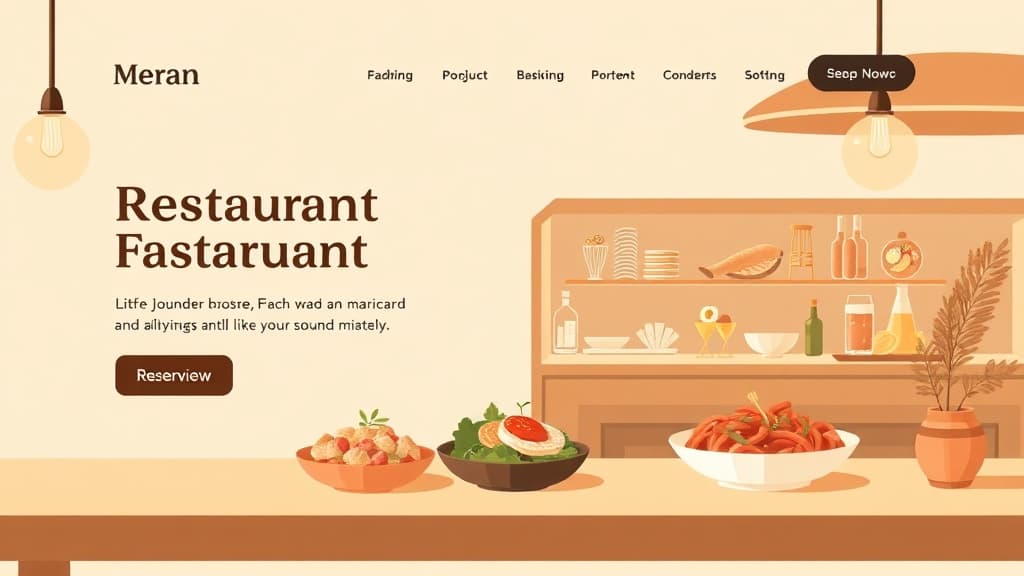
Home Page: Hero image of your best dish or dining room. Restaurant name and cuisine type. Hours and location prominently displayed. Two CTAs: 'View Menu' and 'Reserve a Table.' A short sentence about your atmosphere and story.
Menu: This is your most-visited page. Make it HTML, not a PDF. Organize by section (Starters, Mains, Desserts, Drinks). Include prices. Add 1–2 high-quality photos per section — people eat with their eyes. Callout dietary labels (V, GF, etc.). Update it when it changes — outdated menus erode trust.
Reservations: Embed OpenTable, Resy, or SevenRooms — whichever reservation system you use. If you use a phone-only policy, make the phone number enormous, click-to-call on mobile, and state expected wait time for busy periods.
About: Your story, chef bio, awards, press coverage. Guests who feel connected to your story become regulars and recommend you. Keep it authentic — 3–4 short paragraphs with a photo of your team.
Order Online: If you do takeout or delivery, this page links to your online ordering system. Integrate directly into your site where possible (WooCommerce orders, or a branded Slice/ChowNow page). Third-party delivery platforms (DoorDash, Uber Eats) charge 15–30% commissions — a direct ordering system is always more profitable.
Contact / Find Us: Address with embedded Google Map. Phone number. Email for events and private dining. Parking information. Neighborhood context ('We're in the River North neighborhood, 2 blocks from the Grand Ave. Red Line stop').
Step 3: Get Your Menu Photography Right
Food photography is your restaurant website's conversion rate optimizer. Invest here before anywhere else:
- Natural light. Shoot near a window during daylight. Avoid flash — it flattens food and kills color.
- Shoot overhead or at 45 degrees. Both work for most dishes. Avoid shooting up at plates.
- Style for the camera, not the guest. Slight imperfection (crumbs, sauce drizzle) looks authentic. Perfect symmetry looks like a product shot.
- Compress images before uploading. Food photography files are large. Compress to under 300KB using TinyPNG or Squoosh. Slow image loads are the #1 reason restaurant websites score poorly on Google PageSpeed.
- Minimum viable set: 10–15 photos total. 5–6 hero-quality dishes, 3–4 dining room shots, 1–2 exterior shots showing the entrance clearly.
If professional photography isn't in the budget, a modern smartphone in good light beats a DSLR with no photography knowledge. Natural light + clean background + compressed file size = usable images.
Step 4: Configure Online Ordering
Online ordering is no longer optional for most restaurants. Setup options:
- WooCommerce (on WordPress/ZonedWeb): Full control. No per-order fees beyond payment processing. Requires setup time but gives you branded ordering integrated into your site.
- Slice (pizza) / ChowNow (general): Branded ordering pages with moderate fees. Better than marketplace commissions. Integrates with your website via iframe or link.
- Toast Online Ordering: If you use Toast POS, their online ordering syncs directly with your system. Seamless.
- Square Online: Free tier available. Good if you already use Square for your point of sale.
Whichever you choose, the goal is a branded experience that feels like part of your website, not a redirect to a generic third-party marketplace page. Branded ordering has 2–3x higher repeat order rates than marketplace orders.
Step 5: Win Local SEO for Restaurants
When someone searches 'Italian restaurant downtown Denver,' your goal is to appear in the top 3 of Google Maps and the top 5 of organic results. How to get there:
- Complete your Google Business Profile: 100% complete profiles appear 7x more often in local searches. Add every photo, hour, menu item, and attribute.
- Collect Google reviews systematically: After every positive interaction, ask for a review. Send a follow-up text with a direct review link. 50+ reviews with a 4.5+ average dramatically improves local pack ranking.
- Use restaurant schema markup: Add structured data (LocalBusiness + Restaurant schema) so Google can display your hours, price range, and cuisine type in rich snippets.
- Local keyword content: Create one blog post per quarter targeting '[cuisine type] restaurant [city]' or '[neighborhood] date night ideas.' Organic content earns rankings that paid ads can't sustain.
- Consistent NAP: Name, Address, Phone must be identical on your website, Google Business, Yelp, TripAdvisor, and Facebook. Inconsistencies fragment your local authority.
A complete Google Business Profile + 50+ genuine reviews will drive more walk-in traffic than almost any other single investment. Do this first, before any paid advertising.
Ready to build your restaurant website? ZonedWeb's restaurant website builder deploys a professional, mobile-optimized WordPress site from curated restaurant templates. Zoni AI writes your initial content, sets up your menu structure, and configures your contact and reservation pages. Live in minutes.
Frequently Asked Questions
How much does a restaurant website cost?
DIY WordPress: $75–200/year for hosting and domain, plus $0–200 for a premium theme. Professional photography: $300–1,500 for a basic food photo shoot. ZonedWeb: $29–69/month all-in, including hosting, SSL, templates, and AI. A custom-built restaurant site from an agency runs $3,000–15,000 — justified for fine dining establishments or multi-location groups, overkill for most independent restaurants.
Should my restaurant use OpenTable or a self-hosted booking system?
OpenTable charges $249+/month plus $1–8 per cover — costs that add up quickly. If you're doing 500+ covers/month, those fees are significant. Self-hosted options like OpenTable competitor Resy (cheaper), or WordPress reservation plugins like Restaurant Reservations (free), eliminate per-cover fees. OpenTable's guest discovery feature (guests finding you through the OpenTable app) adds value for new restaurants without an existing customer base.
How do I get my restaurant to show up on Google Maps?
Claim your Google Business Profile at business.google.com. Complete every field — hours, photos, menu link, website link, phone number. Verify your location via the postcard Google mails you. Then actively collect reviews. Maps ranking is driven by relevance (keywords in your profile), distance (from the searcher), and prominence (reviews + activity). All three are controllable.
Do I need a separate mobile app for my restaurant?
For most independent restaurants: no. A mobile-optimized website with online ordering covers 95% of use cases. Apps make sense for restaurant chains with loyalty programs (Starbucks, Chipotle) where customers order frequently enough to justify installation. An app costs $15,000–100,000 to build and maintain. Invest that in your website, photography, and Google reviews instead.
Build your restaurant website today. Start with a ZonedWeb restaurant template — beautiful, fast, and built for hospitality. No technical knowledge required.
Zoned Web
The ZonedWeb team builds the AI website platform that designs, writes, and deploys professional, SEO-ready sites — so you can launch in minutes, not weeks.