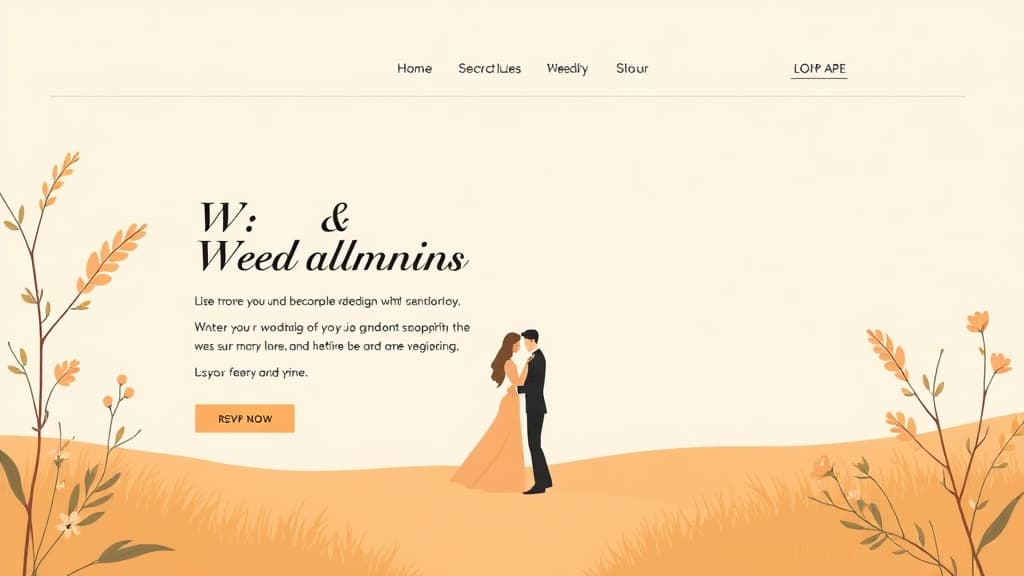
Your wedding website is the central hub of your celebration — the first place guests visit when they receive their save-the-dates, and the page they return to for every logistical question between now and your wedding day. A well-built wedding website reduces guest confusion, keeps RSVPs organized, and tells your love story in a way that gets guests genuinely excited about attending. This guide shows you exactly how to make a wedding website that's beautiful, functional, and stress-free to manage.
What Makes a Great Wedding Website
The best wedding websites balance aesthetics with practicality:
- Immediate clarity: Date, location, and couple names visible the moment the page loads. Guests shouldn't have to scroll to confirm they have the right site.
- All logistics in one place: Venue details, hotel room blocks, transportation, dress code, and ceremony timeline — organized so guests don't need to email you for answers.
- RSVP functionality: Online RSVPs reduce no-responses compared to mailed cards and give you a real-time headcount in a spreadsheet, not scattered on paper cards.
- Mobile-optimized: Guests will check it on their phones at dinner tables, in airport lounges, and while standing in line. If it doesn't render beautifully on mobile, you'll get a flood of 'I couldn't find the hotel block' texts.
- Photo-forward design: Your engagement photos, candid shots, and ceremony photos belong front and center. Couples who invest in beautiful photography should have a website that showcases it.
Step 1: Choose Your Wedding Website Platform
Your choices range from dedicated wedding platforms to full WordPress sites, depending on how much customization you want:
- ZonedWeb (recommended for couples who want a standalone site): Deploys a professional wedding website from a curated template library via ZonedWeb's wedding website builder. Built on real WordPress — so you own the site, can add a custom domain, and aren't locked into a platform that charges per feature.
- Zola: The most popular dedicated wedding platform. Free tier is genuinely good. Registry integration is the standout feature. Limited design customization.
- The Knot: Large ecosystem, free tier, built-in vendor connections. Dated UI compared to Zola. Works fine if you're already using The Knot for vendor research.
- WordPress + Elementor/Divi: Maximum design control. If you or your partner has any web design experience, this delivers a truly unique site. Takes more time to set up.
- Squarespace: Beautiful templates, decent photo display. $23+/month. Overkill for most wedding websites that only run 6–18 months.
Key consideration: do you want a custom domain (yournames.com) or are you comfortable with a subdomain (yournames.zola.com or yournames.theknot.com)? A custom domain looks more professional on save-the-dates and is worth the $12/year investment.
Step 2: Build the Essential Wedding Website Pages
A wedding website typically needs 6–8 pages covering every logistical question guests will have:
Home / Landing Page: Your names, wedding date, and a hero image (engagement photo or venue shot). A countdown timer to the wedding day. Quick navigation to the sections guests need most: RSVP, Our Story, Travel, Registry.
Our Story: How you met, your relationship timeline, and your proposal story. This is the page guests read with a smile. Write it conversationally — this isn't a LinkedIn bio. Include photos from different stages of your relationship. Keep it under 500 words unless you genuinely have a compelling story that warrants more.
Ceremony and Reception Details: Full venue name, address (with link to Google Maps), ceremony start time, cocktail hour and reception times, dress code, and parking information. If the ceremony and reception are at different locations, list both with individual maps. This is the most practically important page on your website.
Travel and Accommodations: Hotel room block information with booking link and your negotiated rate's expiry date. Nearest major airport. Uber/Lyft availability or shuttle information. For destination weddings, this page becomes the most critical on the site — guests need passport info, recommended airlines, local currency, and weather expectations.
RSVP: Online form collecting: full name(s), attendance confirmation, meal preference (if applicable), dietary restrictions, and song requests (optional, but guests love it). Send RSVP response data to a Google Sheet for easy headcount tracking. Set an RSVP deadline 3–4 weeks before the venue's final headcount deadline.
Registry: Links to your registries (up to 3 is standard). A brief note on your philosophy ('We'd love experiences, but if you prefer a gift, here are things we genuinely need'). For destination weddings, a 'your presence is our present' note with a honeymoon fund option.
Wedding Party: Photos and brief descriptions of your bridesmaids, groomsmen, and any other key roles. This helps guests recognize your wedding party on the day.
FAQ: Address every question you've already been asked more than twice. Common answers: 'Is the ceremony outdoor or indoor?', 'Are children welcome?', 'What's the parking situation?', 'Is there a shuttle from hotels?', 'Can I post photos on social media?'
Step 3: Set Up Your RSVP System
Online RSVPs are dramatically more efficient than mailed response cards:
- WordPress (Gravity Forms or WPForms): Build a custom RSVP form that connects to a Google Sheet via Zapier. Full control over fields, auto-responder emails, and data export. Best for couples who want custom fields or a multilingual form.
- Built-in platform RSVP (Zola, The Knot): Guest list management built into the platform. Pros: simple setup. Cons: limited customization and you're dependent on the platform's export format.
- Typeform: Beautiful form experience. Connect to Google Sheets or Airtable via Zapier. $29/month for conditional logic (useful for directing sub-events — rehearsal dinner, brunch — to the right guests).
Whichever system you use, configure a confirmation email that triggers immediately after submission. Guests want to know their RSVP was received, and it eliminates 'did you get my RSVP?' texts.
Step 4: Add Your Photos Effectively
Engagement photos are your wedding website's most powerful design asset. Display them well:
- Gallery page: A curated gallery of 15–25 images. Less is more — guests should leave impressed, not exhausted.
- Compressed images: Wedding photos from professional photographers are typically 5–25MB each. Compress to 300–500KB using Squoosh.app before uploading. This single step can cut your page load time by 5–10 seconds.
- Photo update post-wedding: Add a section for wedding day photos after the event. Guests who couldn't attend love seeing the photos. Keep the site live for 3–6 months after your wedding.
- Password protection: Many couples add optional password protection to their wedding site for privacy (limiting viewing to invited guests). Most wedding platforms and WordPress both support this.
For couples building on WordPress, our wedding website templates include gallery-forward layouts, romantic typography, and RSVP form integration. You don't need a designer — just your photos and your story.
Ready to build your wedding website? ZonedWeb's wedding website builder deploys a beautiful, full-featured WordPress site from professional wedding templates. Zoni AI helps you draft your page content so you can focus on the details that actually matter for your wedding day. Start for free.
Frequently Asked Questions
When should I create my wedding website?
Create your wedding website before or at the same time as your save-the-dates — typically 9–12 months before the wedding for larger weddings or destination events, 6–8 months before for local celebrations. Include the URL on your save-the-dates so guests know where to go for details. Have the travel/hotel block section complete before save-the-dates go out, since guests book accommodation early.
Do I need a custom domain for my wedding website?
It's not required, but strongly recommended if aesthetics matter to you. 'sarahandjames2026.com' on a save-the-date looks more polished than 'sarahandjames.theknot.com.' Custom domains cost $12–15/year. Most platform providers and all WordPress hosts support custom domains. If you're using ZonedWeb, your domain is included in the subscription.
Should my wedding website be password-protected?
Only if privacy is a genuine concern. Password protection adds a barrier — guests occasionally forget the password or don't have it handy when they need to check logistics. Unless you have specific privacy reasons (public figure, private venue, or family situation), leave it open. If you do password-protect it, include the password printed on the save-the-date or included with invitations.
How do I track RSVPs from my wedding website?
The most reliable system: RSVP form connected to a Google Sheet via Zapier or native integration. Each submission automatically adds a row with the guest name, attendance status, meal choice, and submission timestamp. Export to Excel for your venue's final headcount spreadsheet. If your platform has a built-in guest list tool, use it — just make sure you can export the data in a format your caterer and venue can read.
How long should I keep my wedding website live?
Keep it live for at least 3 months after the wedding. Guests use it to reference the charity donation page (if you had one in lieu of gifts), retrieve the wedding photos you've shared, and revisit memories. After that, the site can go offline or be archived. If you used a custom domain, you can let it expire after one year unless you want to keep it as a memory site.
Zoned Web
The ZonedWeb team builds the AI website platform that designs, writes, and deploys professional, SEO-ready sites — so you can launch in minutes, not weeks.